Redirects, security, maintenance
Three tabs of a service control what visitors of its domains get: Redirects, Security (basic authentication, a rate limit and the WAF) and Maintenance. Everything here applies when saved: Traefik's routes are written again, the containers keep running, no Deploy is needed.
Databases have none of these tabs. They act on the service's domains only, not on published ports.
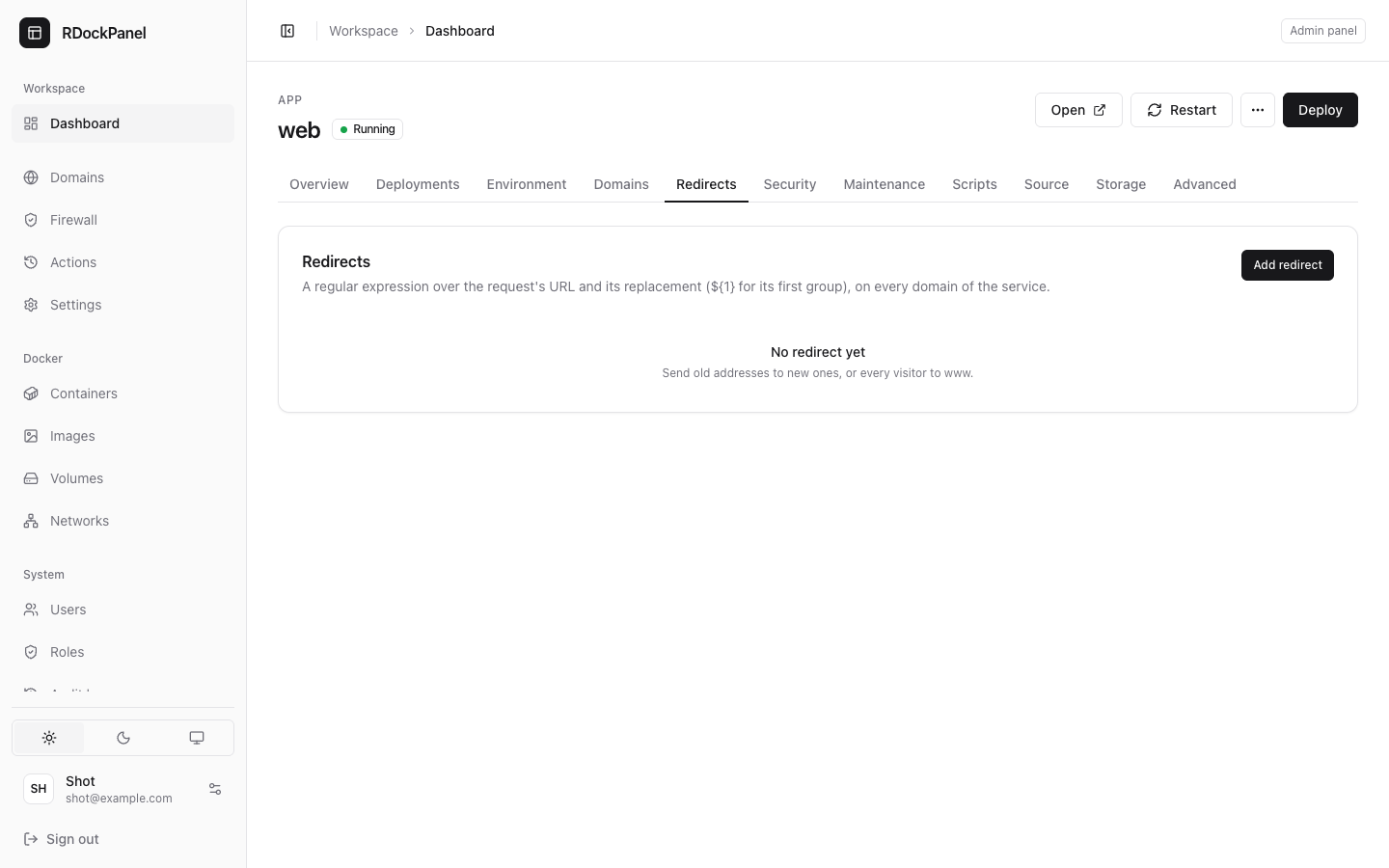
Redirects
Send old addresses to new ones, or every visitor to www.
- Open Redirects and press Add redirect.
- Regular expression: matched against the request's full URL.
- Replacement: the new URL;
${1}is the expression's first group. - Permanent (301): on for a permanent redirect, off for a temporary one.
- Press Add redirect.
Each redirect applies to every domain of the service and can be switched On or off in the list.
Regular expression   ^https?://example\.com/(.*)
Replacement          https://www.example.com/${1}
Expressions use Go's syntax (the one Traefik reads), with the inline flags i, m, s and U only.
Security
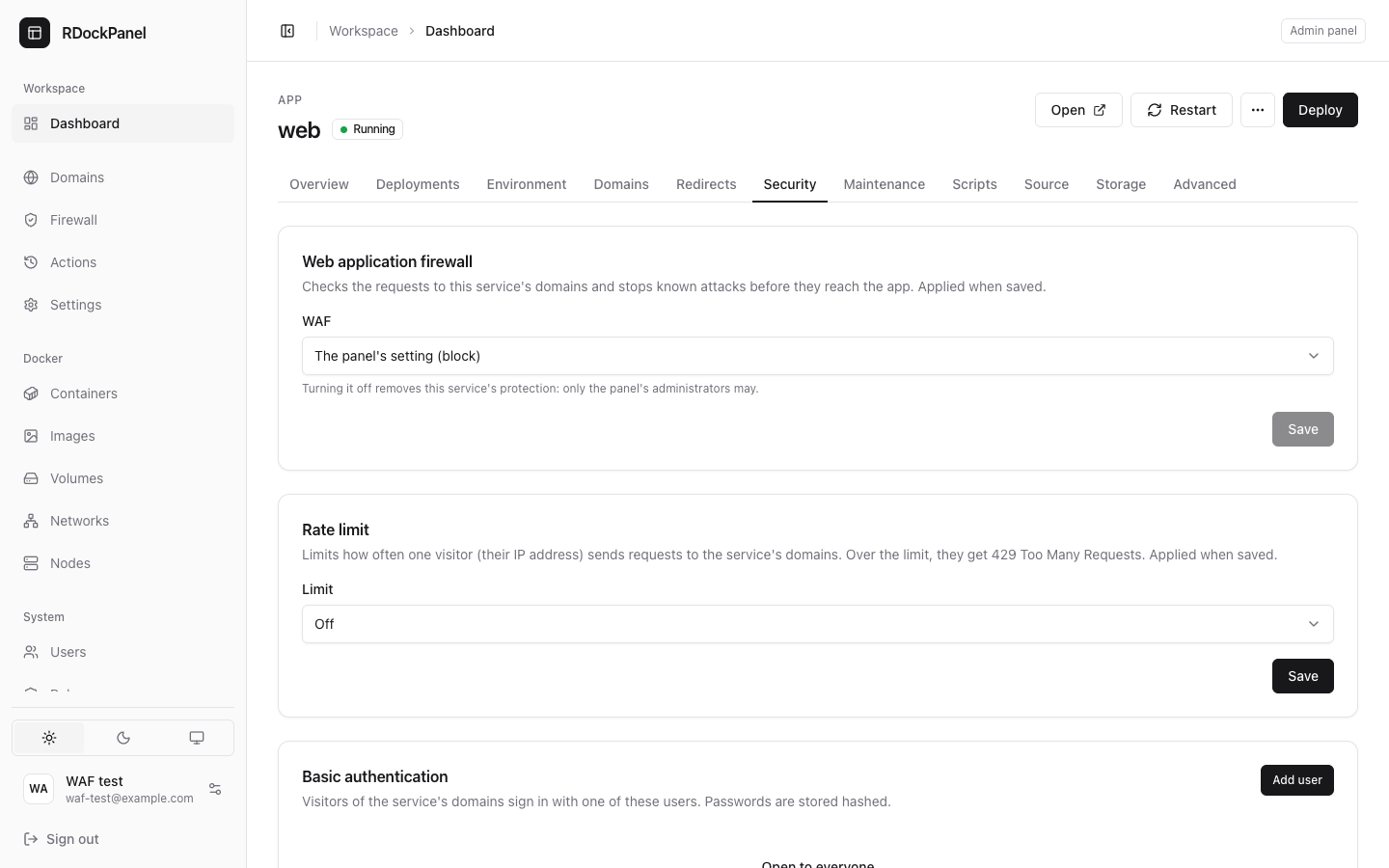
Basic authentication
Ask visitors for a name and a password before they reach the service.
- Open Security and press Add user.
- Type a User and a Password (8 characters or more). Passwords are stored hashed, never shown.
With no user, the service is Open to everyone. A user added, removed or given a new password signs in that way at once.
Rate limit
Limits how often one visitor (their IP address) sends requests to the service's domains. Over the limit, they get 429 Too Many Requests.
- Limit: Off, Normal (websites) (50 a second on average, bursts of 200), Strict (APIs) (10 a second, bursts of 30) or Custom.
- With Custom: Requests on average per second, minute or hour, and a Burst (requests a visitor may send at once: a page with many images and scripts needs more).
- Exempt addresses: IPs or networks never limited, one a line (a VPN, a monitor).
Visitors are counted per domain. Those coming through Cloudflare (a proxied record or the tunnel) are counted by their own address; IPv6 visitors by their /64. Exempt addresses match visitors who reach the server directly, not through Cloudflare. The counters start again when Traefik restarts.
WAF
WAF follows the panel's web application firewall (The panel's setting), or is set On or Off for this service. Turning it off removes its protection: only the panel's administrators may. It applies when saved.
Maintenance
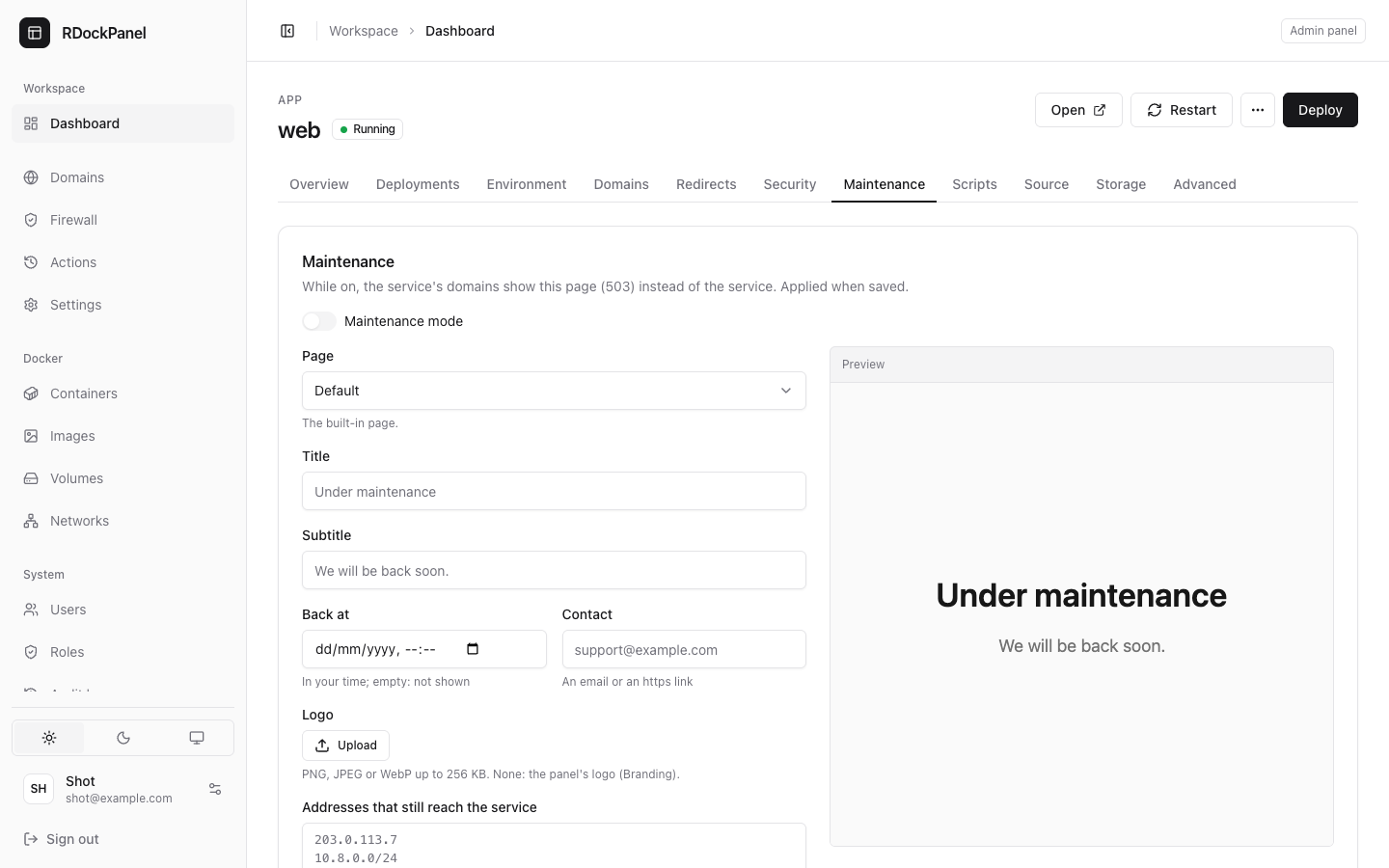
While on, the service's domains show a maintenance page (HTTP 503) instead of the service.
- Open Maintenance and switch Maintenance mode on.
- Choose the Page:
- Default: the panel's shared page (Settings → Maintenance page) when there is one, else the built-in page, in the visitor's language, light or dark;
- Its own HTML: write your page in HTML and CSS (scripts are blocked; up to 256 KB). Start from the default page fills the editor.
- Fill in, as you like: Title, Subtitle, Back at (when you expect to be back, in your time), Contact (an email or an https link), and a Logo (PNG, JPEG or WebP up to 256 KB; else the panel's logo).
- Addresses that still reach the service: IPs or networks, one a line (you, your team, a VPN). They see the service as usual.
- Check the Preview, then Save. The panel asks you to confirm before turning maintenance on.
Turned off, the domains lead to the service again at once.
Good to know
- Order on each request: rate limit, then redirects, then basic authentication.
- Through Cloudflare, the maintenance bypass matches single addresses only, not networks.
- Your own HTML can insert values such as
,or; the editor lists them. - For other Traefik features (headers, IP allow lists), see Traefik middlewares.