Domains and HTTPS
Give a service a domain, and Traefik (the proxy in front of every service) sends its visitors to the service, with an HTTPS certificate. A domain change applies as soon as you save it.
Before you start: DNS
At your DNS provider, point the name to the server:
- an A record
app.example.com→ the server's public IPv4 (such as203.0.113.10), and an AAAA record if the server has IPv6; - for generated domains (
<project>-<service>.apps.example.com), one wildcard record*.apps.example.com→ the server, and the apps' domain set at install (Settings → Panel).
Behind a home router with no public address, use a Cloudflare Tunnel instead.
Add a domain
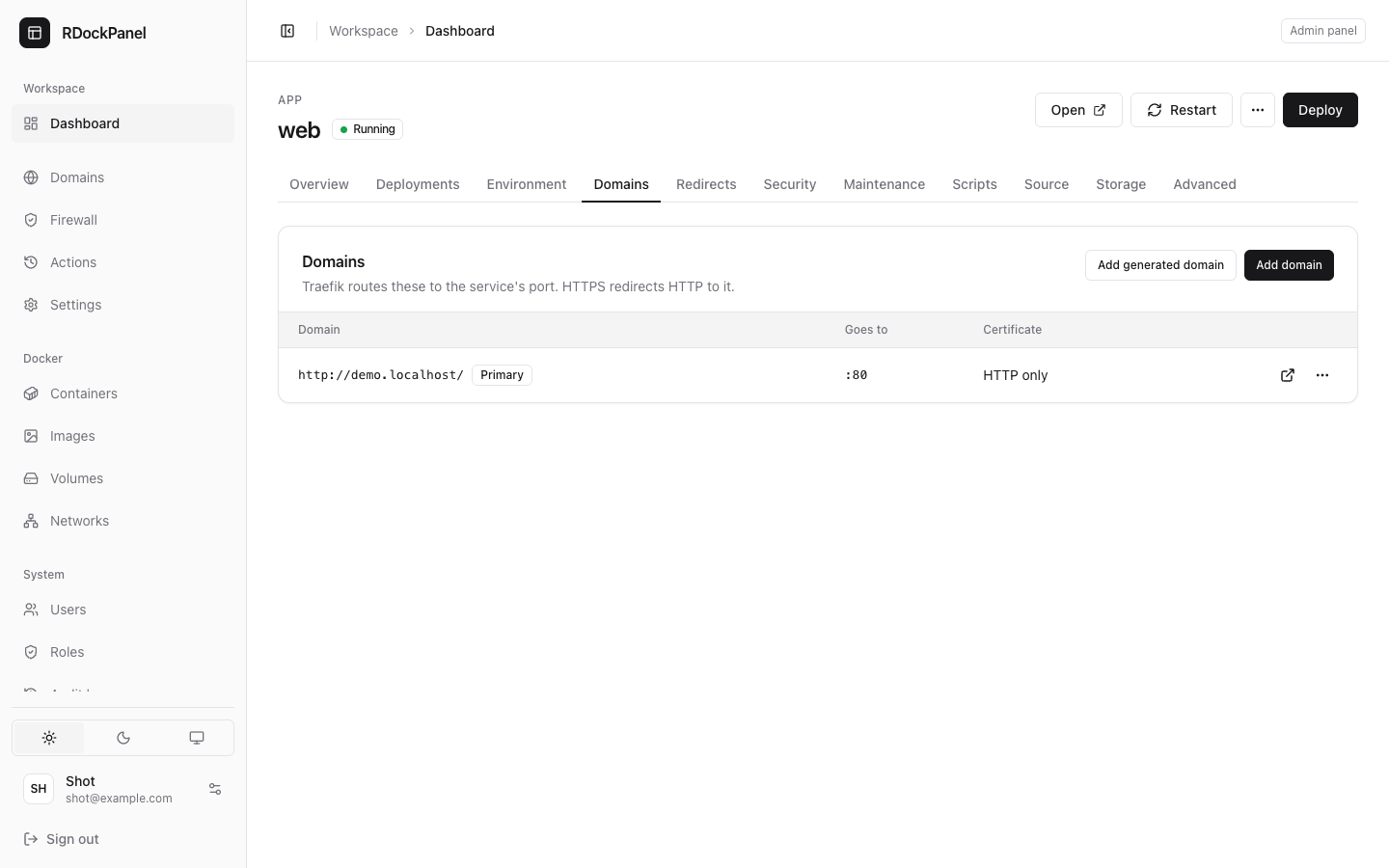
- Open the service's Domains tab and press Add domain.
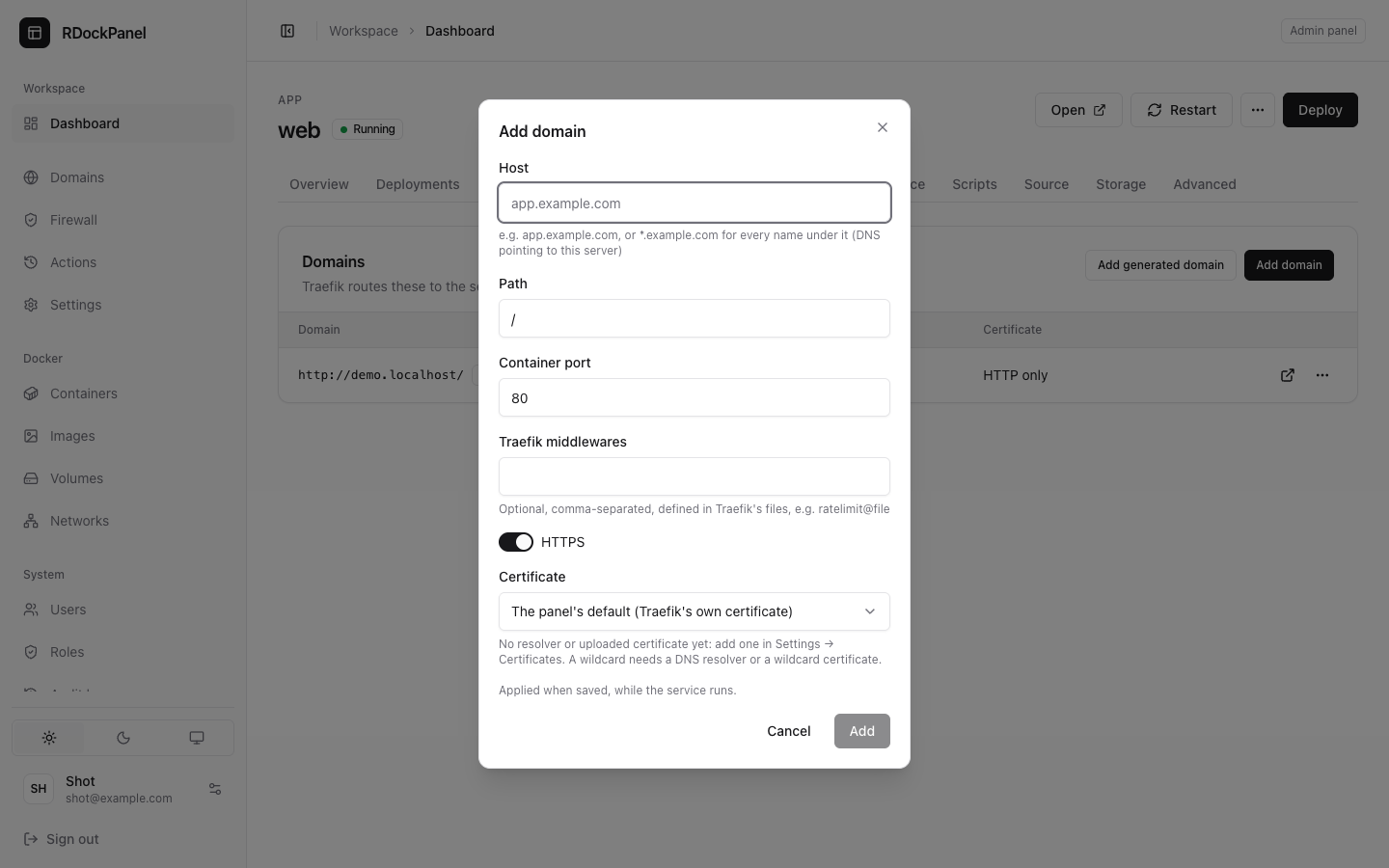
- Fill in:
- Host:
app.example.com, or*.example.comfor every name under it (administrators only); - Path:
/for the whole site, or a prefix such as/api; - Container port: the port the app listens on inside the container (80 by default; not a published port);
- HTTPS: on by default; HTTP then redirects to HTTPS;
- Certificate (when HTTPS is on, for administrators): see below;
- Traefik middlewares: optional, see below.
- Host:
- Press Add. It is applied at once, while the service runs.
Add generated domain adds <project>-<service>.<apps' domain> in one click, when the apps' domain is set.
The first domain is the primary one: the Open button and $(PRIMARY_DOMAIN) use it. Without a domain, the service is only reachable inside its project.
Certificates
With HTTPS on, the certificate comes from:
- The panel's default: Let's Encrypt over HTTP, set by the installer. The name must reach this server on port 80.
- A certificate resolver of Settings → Certificates: Let's Encrypt over HTTP, or over DNS with a token of Cloudflare, DigitalOcean, Hetzner, Vultr or Linode. After adding or changing one, press Apply there (Traefik restarts, a few seconds without routing). A DNS resolver is the only way to a certificate for a wildcard (
*.example.com) and works for a server ports 80 cannot reach. - An uploaded certificate (Settings → Certificates → Upload certificate): your own certificate and key in PEM. The panel checks them, encrypts the key, and warns the notification channels 14, 7 and 1 days before it expires.
Choosing a resolver or an uploaded certificate on a domain needs system.manage, as do wildcard domains. One host has one certificate: every HTTPS domain of the same host uses the same choice.
Through Cloudflare
When a name leads to Cloudflare, the panel marks it via Cloudflare. Through the Cloudflare Tunnel, Cloudflare gives visitors HTTPS: turn HTTPS off for that domain (the form offers Turn HTTPS off). Proxied by Cloudflare to this server instead (its Full mode), keep HTTPS with a DNS resolver or an uploaded certificate.
Traefik middlewares
Traefik middlewares takes a comma-separated list of middlewares defined in Traefik's files, such as custom-headers@file. Administrators write their own in Settings → Traefik (names start with custom-; headers, limits, IP allow lists, compression…). They run after the panel's own (redirects, authentication). For rate limits and passwords, prefer the service's Security tab.
The Domains page
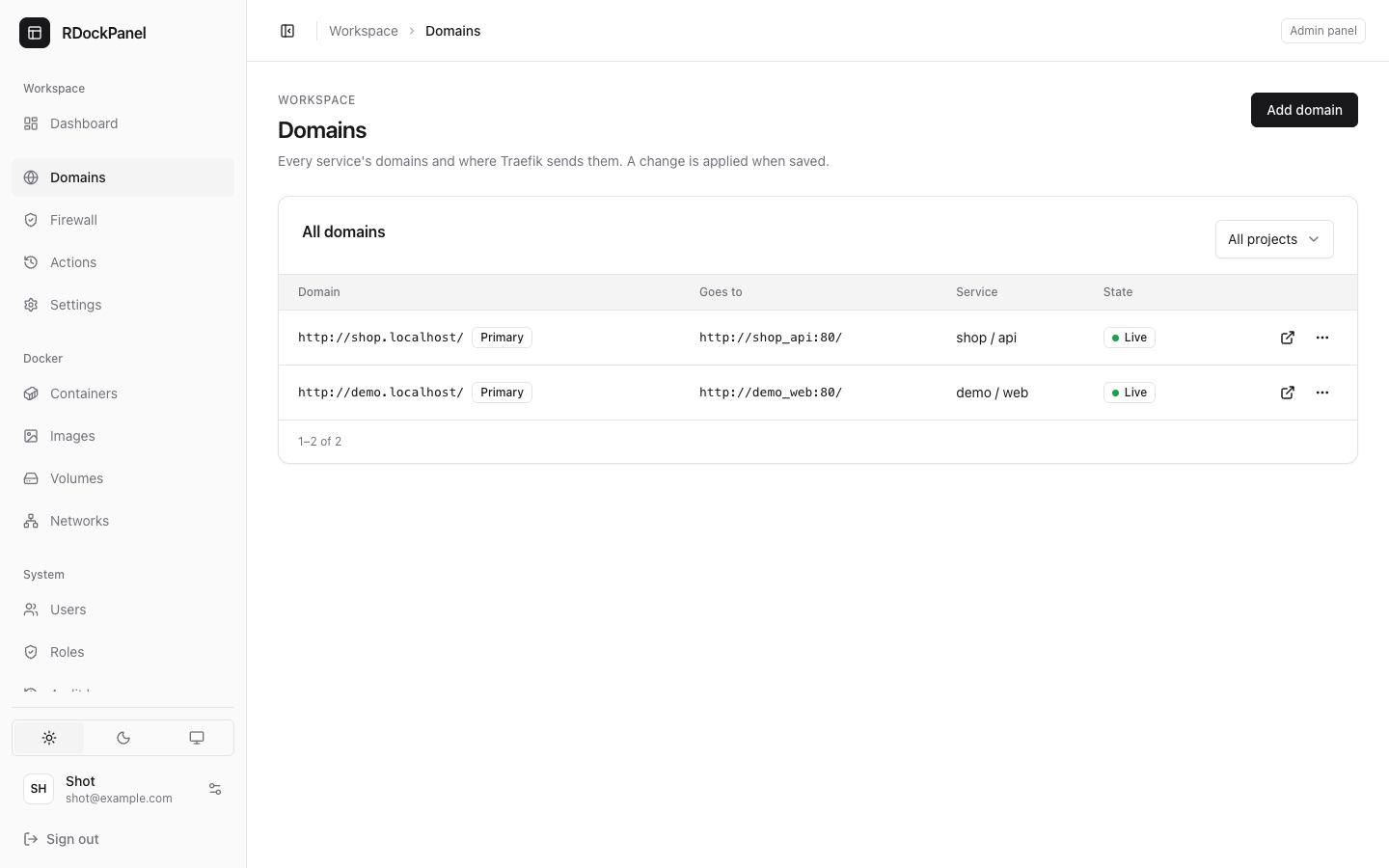
Domains in the sidebar lists every service's domains in one table: the host, where it goes (project, service and port) and its state, such as Live or Maintenance page. You can add, edit and remove domains there too (Add domain asks for the service), and filter by project. The panel's own domain is listed as RDockPanel (Settings → Panel).
Good to know
- A domain, its HTTPS and its certificate apply when saved: no Deploy, no restart of the containers. Removing one stops it at once.
- A Compose service's domain names one service of its file (Compose service) and applies on its next Deploy.
- The panel's own host can never be a service's domain.
- One host and path belongs to one domain: two services cannot share it.