Deploy and roll back
How a service gets running, how it is updated without downtime, and how to go back to an earlier deployment.
The actions
| Button | What it does |
|---|---|
| Deploy | Pulls (or builds) the image and applies the service's current configuration. |
| Start | Runs a stopped service again with the image it had (a first Start builds when needed). |
| Stop (⋯ menu) | Removes its tasks; the service and its data stay. |
| Restart | Replaces its tasks with the same image and configuration. |
| Force rebuild (⋯ menu) | Builds again without the build cache (an image is pulled again), then replaces every task. |
| Remove from Docker (Advanced → Danger zone) | Removes the service from Swarm. Volumes are kept; Deploy creates it again. |
One action runs at a time per service: while one runs, the buttons wait. Each action is a deployment with its own live log on the Deployments tab.
What needs a Deploy
- Needs Deploy: the image or source, the environment, ports, mounts, replicas, command, health check, resources, where it runs. A note on the service page says when the configuration changed since the last deployment.
- Applied when saved (no Deploy, the containers untouched): domains, redirects, basic authentication, rate limit and maintenance.
Zero downtime and rolling updates
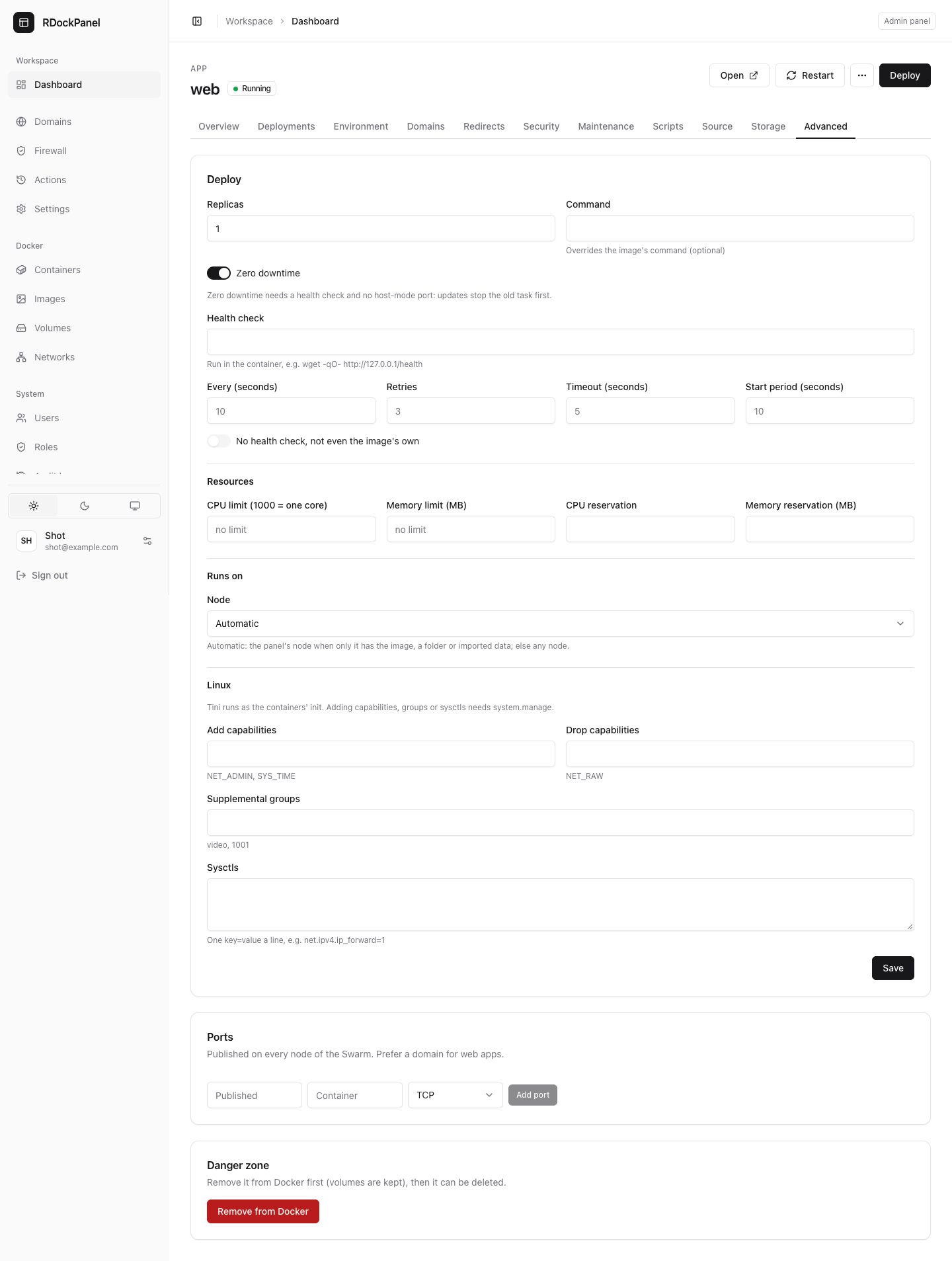
Updates roll one task at a time. With Zero downtime on (Advanced tab, apps only), the new task starts and becomes healthy before the old one stops. That needs:
- a health check, so Swarm knows when the new task is ready;
- no port published in host mode;
- no writable volume or folder (two tasks would write the same data at once).
Otherwise the old task stops first, and the service is down for a moment.
If an update fails, Swarm rolls it back by itself: the deployment reads Rolled back and the previous version keeps running.
Health check
On the Advanced tab:
- Health check: a command run in the container, such as
wget -qO- http://127.0.0.1/health; - Every (seconds) (10 when empty), Retries (3), Timeout (seconds) (5), Start period (seconds) (10: failures during that time do not count);
- No health check, not even the image's own: turns every check off.
With a health check, a task counts as running only once it is healthy.
Replicas and resources
On the Advanced tab: Replicas (how many tasks run), and Resources:
- CPU limit (1000 = one core) and Memory limit (MB): the most it may use;
- CPU reservation and Memory reservation (MB): what Swarm keeps free for it.
Leave a field empty for no limit. Changes apply on the next Deploy.
Memory and disk warning
Before you create a service, use a template, Deploy, Start, Restart or Force rebuild, the panel estimates what it will take and compares it with the server:
- Memory will be low: it can still be deployed; keep an eye on it.
- Not enough memory (or disk): the panel asks you to confirm with I understand, deploy anyway.
- This service cannot run: its memory reservation is more than the server can give, so Swarm would leave it pending. It is refused.
The estimate comes from what the service uses now, else its memory limit, else a typical figure for its kind. Set a memory limit for a closer one. Deployments from the API, webhooks and trigger URLs are never stopped: their log says it, and the notification channels hear it.
Deployment history and rollback
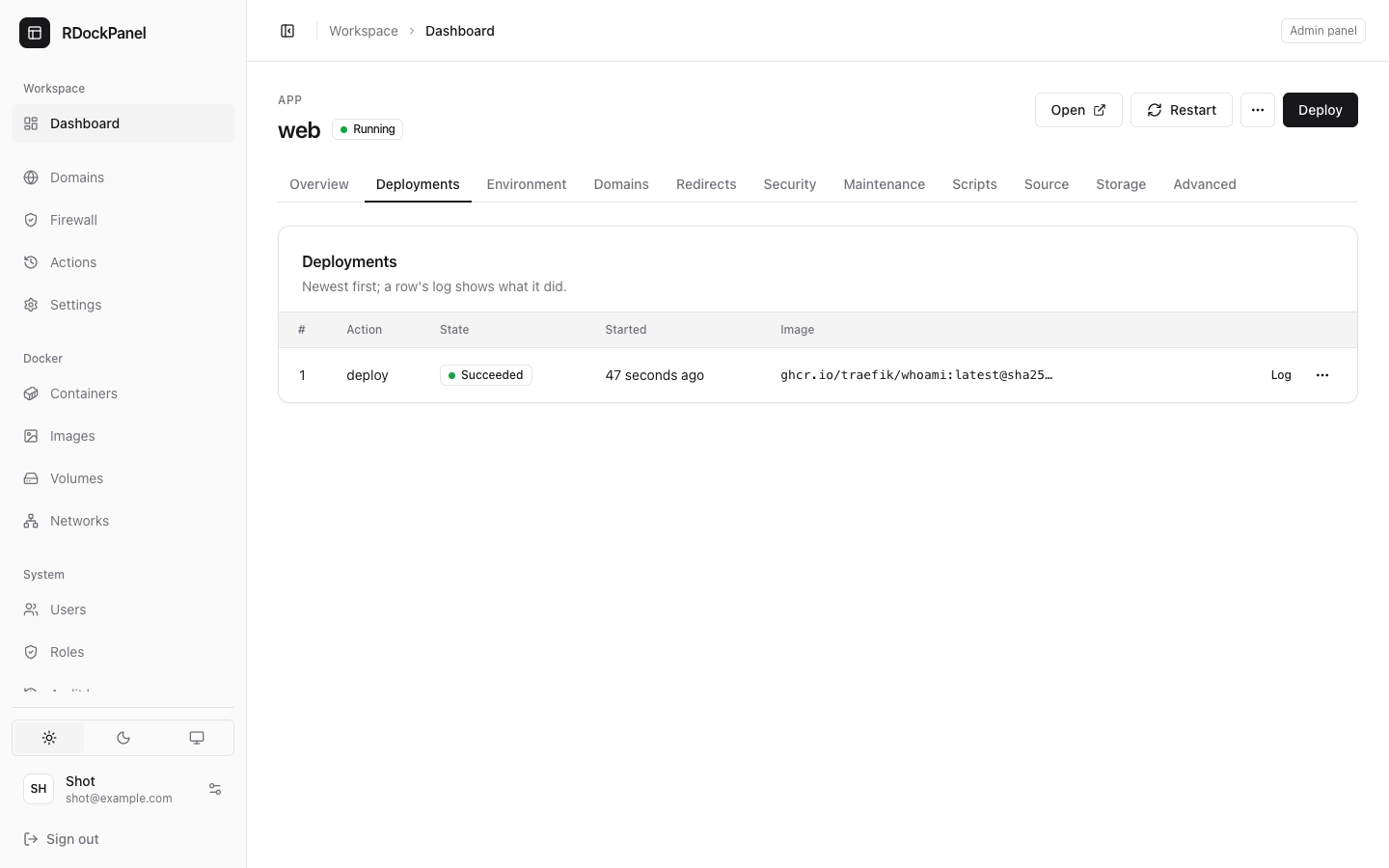
The Deployments tab lists every deployment, newest first: its number, the action, its state, when it started and the image. A row's log shows what it did.
To go back:
- Open the row's ⋯ menu and choose Roll back to this.
- Confirm. The configuration and image of that deployment are deployed again, its environment and files included.
Only a deployment that succeeded with a recorded image can be rolled back to (not a Stop or a Removal). Rolling back needs the services.deploy and deployments.view permissions.
Recent errors
The Overview tab lists the service's recent errors. Failures Swarm recovered from by itself are marked Recovered automatically.
Good to know
- A deployment that waits too long or loses its worker is marked Interrupted and frees the service.
- If Traefik's routes could not be written after a deployment, the service page offers Republish routes.
- Images are pinned to their registry digest; an image only this server has is pinned to its id, with a warning.
- Compose services cannot be rolled back (see Compose).