Storage and volumes
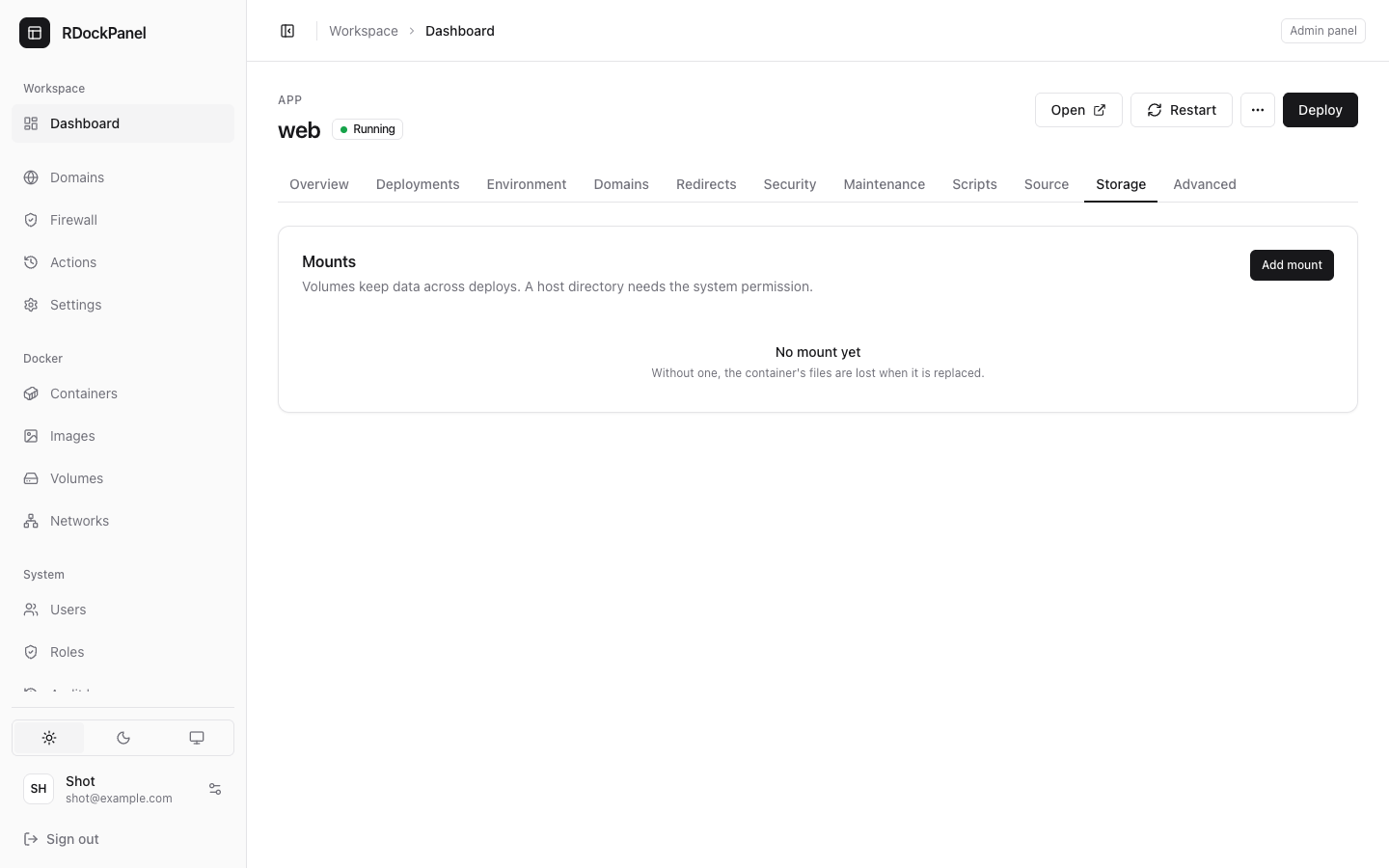
A container's own files are lost each time it is replaced (every deployment). Keep data on the service's Storage tab: a volume, a host directory or a file.
Add a mount
- Open the service's Storage tab and press Add mount.
- Choose the Type:
- Volume: a Docker volume kept by the panel (the usual choice);
- Host directory: a folder of the server (administrators only, see below);
- File: a config file written in the panel.
- Fill in the Volume name (or the Host directory) and the Path in the container, such as
/var/lib/app. - Tick Read-only if the app only reads it.
- Press Add, then Deploy: mounts change on the next deployment.
Volumes
A volume named data on the service web of the project shop is the Docker volume rdp_shop_web_data. It survives deployments, restarts and Remove from Docker.
Removing a mount from the service keeps the volume's data in Docker: the next deployment just stops mounting it. To delete the data for good, remove the volume on the Docker → Volumes page. Pruning unused volumes never removes the services' volumes (rdp_…).
Files
A File mount puts a config file at a path in the container, such as /etc/app/config.ini. Its content is encrypted in the panel, never shown again, and mounted read-only. Each deployment keeps the files it applied, so a rollback restores them. A service's files hold at most 32 KB together.
Host directories
A host directory mounts a folder of the server into the container. It is off by default:
- only administrators (
system.manage) may add one; - the folder must sit under one of the roots allowed in the panel's configuration (
bind_roots, empty after install: see Security); /,/proc,/sys,/dev,/boot,/var/lib/docker, the Docker socket,/etc/rdockpanel,/run/secrets, and any folder above them (/run,/etc,/var), are always refused.
The path is checked when saved and again before each deployment.
Folders used in place (imports)
A container imported with a folder of the server keeps using that folder where it is: the Storage tab lists it with the type link. Such a service stays the administrators' until the folder is moved.
- Move all (Storage tab) stops the service, copies its folders into volumes, and deploys it on them. Its page shows the progress, and the move can be undone.
- Once you are happy, Clean the old folder on that page (you type the folder's name) deletes the old folder. From then the move cannot be undone.
Move all is refused when another service or container uses the same folder: a copy would split the data.
Volume backups
A service with a volume has a Backups tab: a schedule can archive a volume (.tar.gz) to a storage provider, and restore it. See Databases and backups.
Good to know
- Volume backups run
tarinside the service's running container: its image needstar. - Volumes belong to one node. A service moved to another node starts with empty volumes unless the storage is shared (see Where a service runs).
- A volume belongs to one service; two services cannot share it.