Introduction
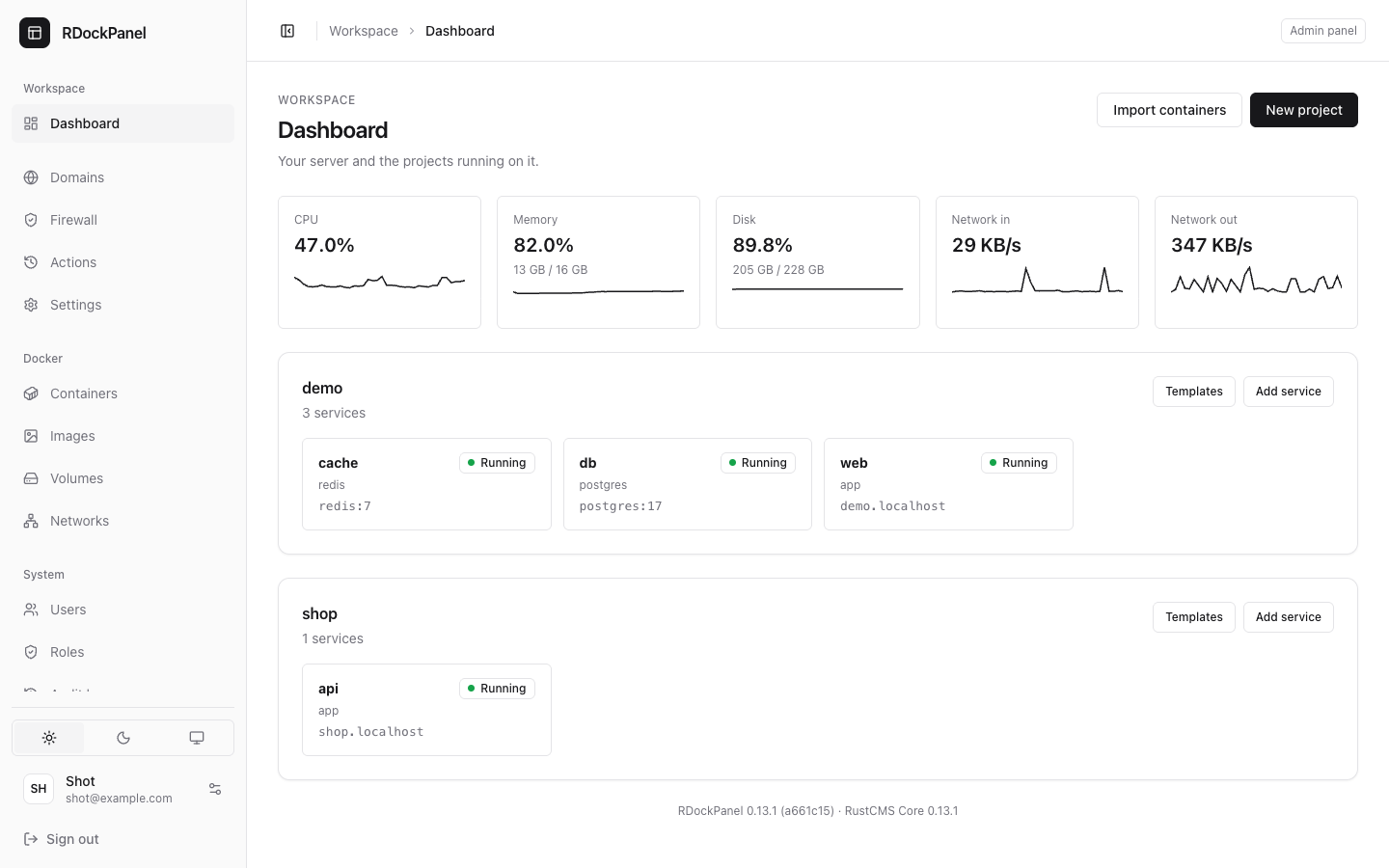
RDockPanel is a free, self-hosted panel that runs your apps on Docker Swarm, with domains, HTTPS, databases and backups, from a web page on your own server.
Who it is for
- You rent a VPS (or have a server at home) and want to run a few apps, sites or databases on it without writing Swarm files and Traefik rules by hand.
- You run apps for a team or for clients and want each person to see only their projects.
- You already run containers with
docker runordocker composeand want to manage them from a browser, with history, rollback and backups.
You need to be comfortable with a terminal for the install and with the basics of Docker (an image, a port, a volume). The panel does the rest.
What it does
Apps
- Projects and services: a service runs an image on Docker Swarm with replicas, CPU and memory limits, a health check, volumes and ports. Each project has its own network.
- Sources and templates: an image from a registry, a Git repository or a Dockerfile built on the server, or one of 800+ ready-made app templates.
- Deploy and roll back: rolling updates, a live log for every deployment, and "Roll back to this" on an earlier one. A deployment trigger URL or a GitHub webhook deploys on push.
- Environment and secrets: environment variables encrypted with the panel's key, shown only to people allowed to read them.
- Domains and HTTPS and Cloudflare Tunnel: Traefik routes, Let's Encrypt certificates (over HTTP or DNS) or your own, applied when you save.
- Redirects, security, maintenance: redirects, a rate limit, basic authentication, and a maintenance page.
- Databases and backups: PostgreSQL, MySQL, MariaDB, MongoDB and Redis in one click; scheduled backups to a local folder or an S3-compatible bucket, and restore.
- Logs, terminal, scripts, Docker Compose, Import existing containers and Where a service runs.
Server
- Docker: live CPU, memory, disk and network; containers (logs, stats, a terminal in the browser), images, volumes and networks.
- Firewall: every port closed except SSH, 80 and 443 and the ones you open.
- Settings: the panel's domain, its version and one-click update, Traefik, certificates, branding, Git, backups, notifications and API tokens.
- Users and roles: fine-grained permissions and project members.
Also: a public API with scoped tokens, notifications (Discord, Slack, Telegram, email, webhooks), English and Vietnamese, light and dark.
What it is not
- Not a hosted service. It runs on your server; you keep the server up to date and its backups.
- Not a cluster manager. The installer sets up a Swarm with one node, and the panel is built around it. A service can be told to run on another node of the Swarm, but some tools (backups, scripts, the terminal, live stats, the firewall) work on the panel's own node only.
- Not finished. It is in early development: try it on a test server first. Two-factor authentication and a web database client are planned, not there yet.
Requirements
| Linux server | Mac | |
|---|---|---|
| System | Ubuntu or Debian, amd64 or arm64 | macOS on Apple silicon |
| Docker | installed by the installer when missing | OrbStack or Docker Desktop, running |
| Access | root (sudo) | your own user, no sudo |
| Ports | 80 and 443 (3000 while the panel has no domain) | the same, free on the Mac |
| Guide | Install on Linux | Install on macOS |
The panel keeps its own data in MySQL 8.4 or in SQLite, chosen at install. SQLite uses less memory and suits a small server.
Next: install it, then deploy your first app.