Projects and services
Your apps live in projects, and each project holds services: a web app, its database, a worker. This page explains how they are organised and what you see on their pages.
Projects
A project groups the services of one app. Each project has its own Docker network:
- services of the same project reach each other by name (see Databases);
- services of another project cannot call them directly;
- what you make public (a domain or a published port) stays public to everyone.
To create one, press New project on the Dashboard and type a name (lowercase letters, digits and dashes).
A project can be deleted only when it has no service left (its ⋯ menu, Delete project…). It cannot be renamed while one of its services is deployed.
Services
A service is one thing the project runs on Docker Swarm. Press Add service on a project and choose its kind:
| Kind | What it is |
|---|---|
| App (Docker image) | Your app, from an image, a Git repository or a Dockerfile (see Sources). |
| PostgreSQL, MySQL, MariaDB, MongoDB, Redis | A database: a name is enough, the credentials are generated (see Databases). |
| Compose | A Compose file run with docker compose, for administrators only (see Compose). |
You can also start from one of the 800+ templates, or bring in containers that already run on the server with Import.
A new service is only saved: nothing runs until you press Deploy (see Deploy).
The Dashboard and the project page
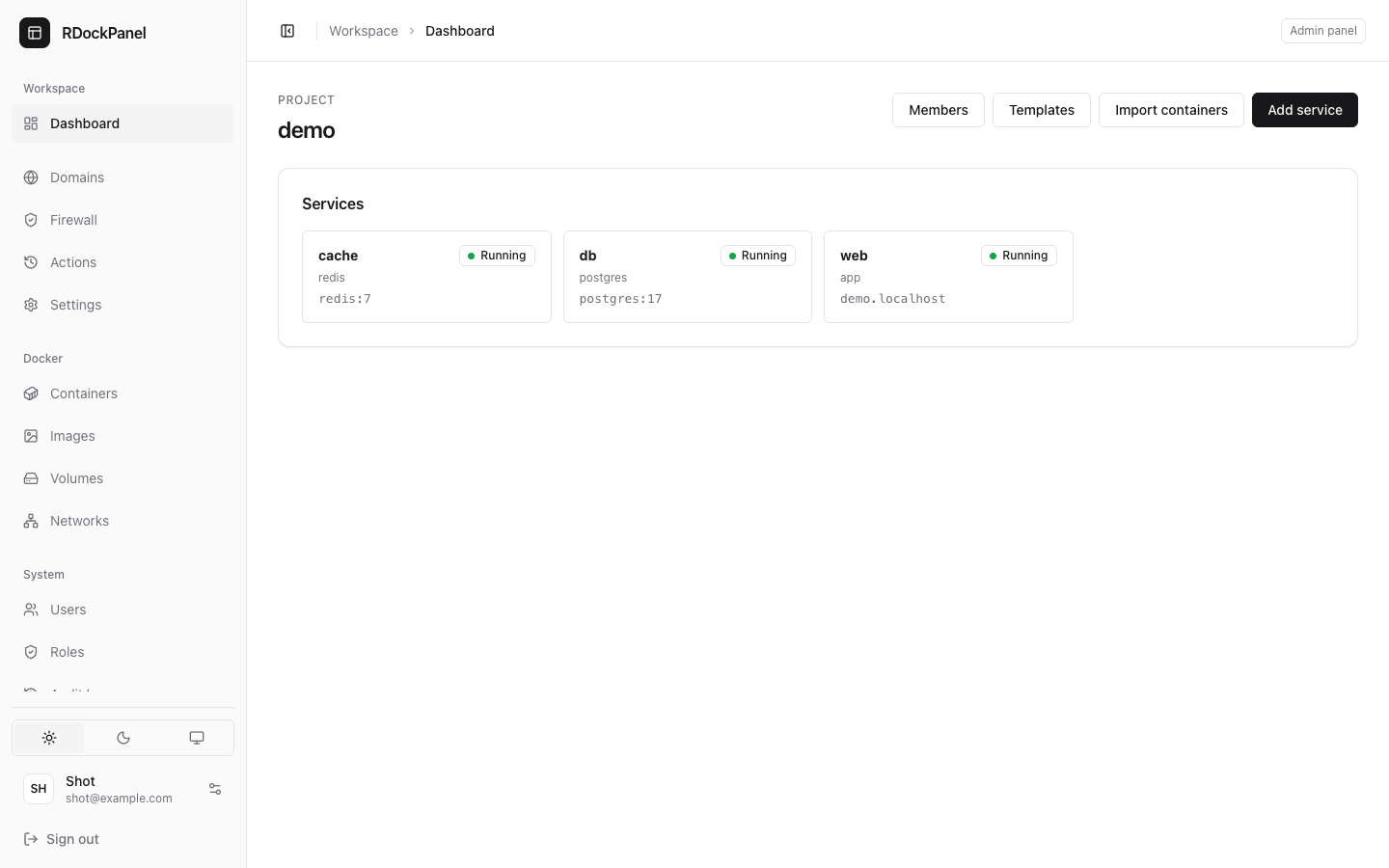
The Dashboard shows the server's tiles (CPU, memory, disk, network) and every project you may see, each with its service cards: the status, the kind and the domain (or the image). A card opens its service.
A project's page has its service cards and these buttons:
- Add service, Templates;
- Import containers (administrators);
- Members, to give people access to this project only (see below).
Press ⌘K anywhere to jump to a project or a service.
The service page
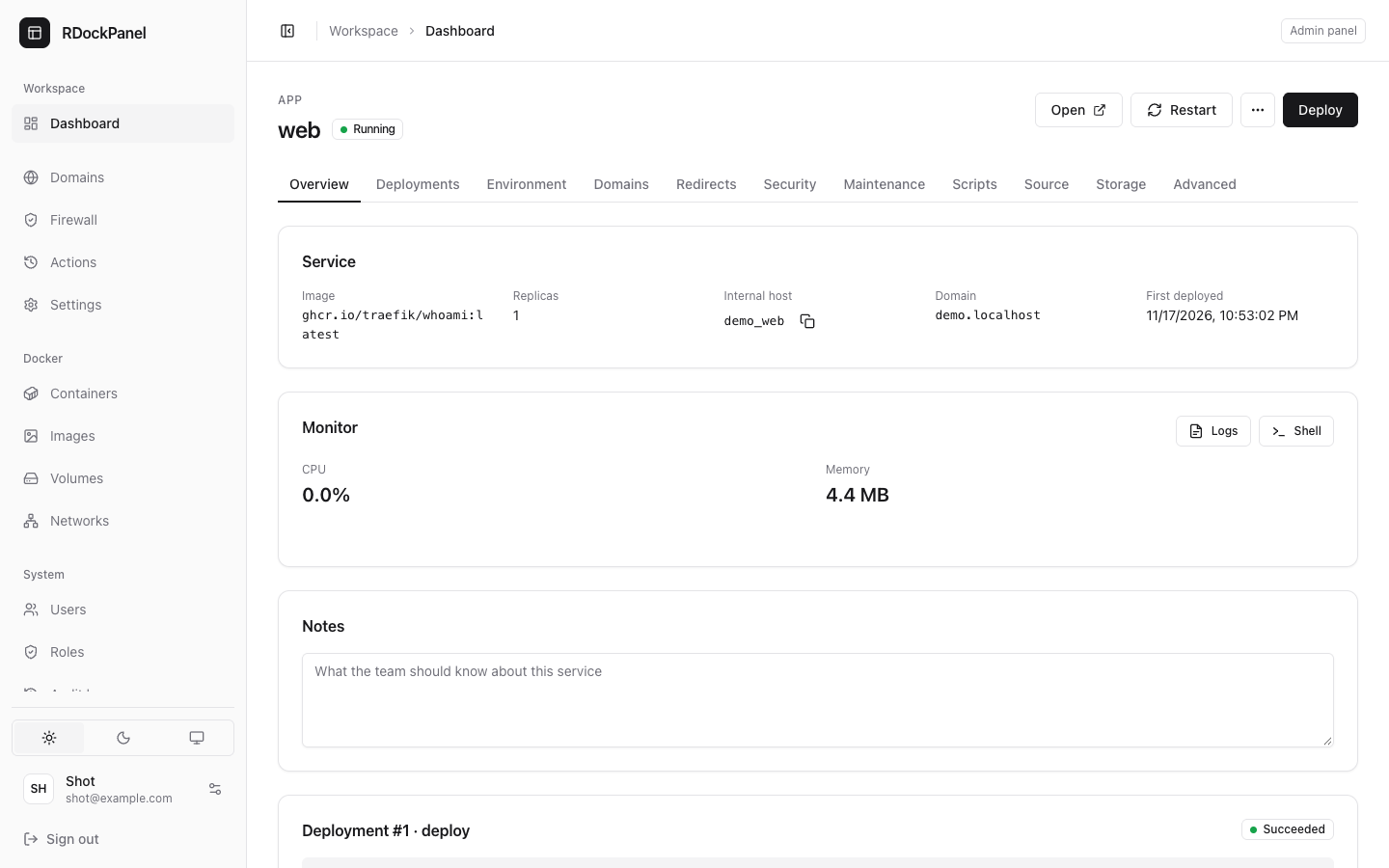
The header shows the service's name and status, and its main buttons:
- Open the service's first domain (when it runs and has one);
- Start (when stopped) or Restart;
- the ⋯ menu: Stop and Force rebuild;
- Deploy.
When the configuration changed since the last deployment, a note says so: deploy to apply it.
The tabs:
| Tab | What it holds |
|---|---|
| Overview | Image, replicas, internal host, domain; Monitor (CPU and memory charts, Logs, Shell); recent errors; notes for the team. |
| Credentials | Databases only: user, password, internal URL. |
| Backups | Databases, and services with a volume. |
| Deployments | Every deployment with its log, and Roll back to this. |
| Environment | Environment variables as .env text. |
| Domains | Domains and HTTPS. |
| Redirects, Security, Maintenance | Rules applied when saved (not for databases). |
| Scripts | Saved commands run in the container (not for databases or Compose). |
| Source | Where the image comes from. |
| Storage | Volumes, host directories and files. |
| Advanced | Replicas, command, health check, resources, where it runs, ports, and the Danger zone. |
Status words
The same words are used everywhere:
| Service | Means |
|---|---|
| Running | Its tasks run (and are healthy, when it has a health check). |
| Deploying | A deployment is queued or running. |
| Starting | Its tasks are starting. |
| Failed | The last deployment failed. |
| Stopped | Stopped on purpose: no task runs. |
| Not deployed | Saved, never deployed. |
A deployment reads Queued, Running, Succeeded, Failed, Interrupted (its run died), Rolled back (Swarm undid a failed update) or Cancelled.
Removing a service
In Advanced → Danger zone:
- Remove from Docker stops the service and removes it from Swarm. Its volumes are kept; Deploy creates it again.
- Delete service then deletes its settings, domains and history.
A deployed service keeps its name and project until it is removed from Docker.
Project members
A user needs no role to work on one project: a project's admin adds them as a member in Members, by email, with one of three roles:
| Role | May |
|---|---|
| viewer | See the project, its services, deployments, backups and logs. |
| developer | As a viewer, and change, add, deploy and roll back services; read their environment; open their terminal; run a backup. |
| admin | As a developer, and remove and delete services, restore a database, rename the project, choose its members. |
A member sees only their projects. A project always keeps one admin. Roles for the whole panel are on Users and roles.
Good to know
- Compose and privileged services stay the panel administrators' (
system.manage), whatever a member's role. - Ports the panel itself uses (80, 443 and the panel's) cannot be published by a service.