Your first app
Deploy a small web app from an image, give it a domain, open it and read its logs. It takes about five minutes.
We use ghcr.io/traefik/whoami, a tiny web server that answers with details of each request on port 80.
1. Sign in
Open the panel at /admin (see Install) and sign in. You land on the Dashboard: the server's live figures at the top, then your projects.
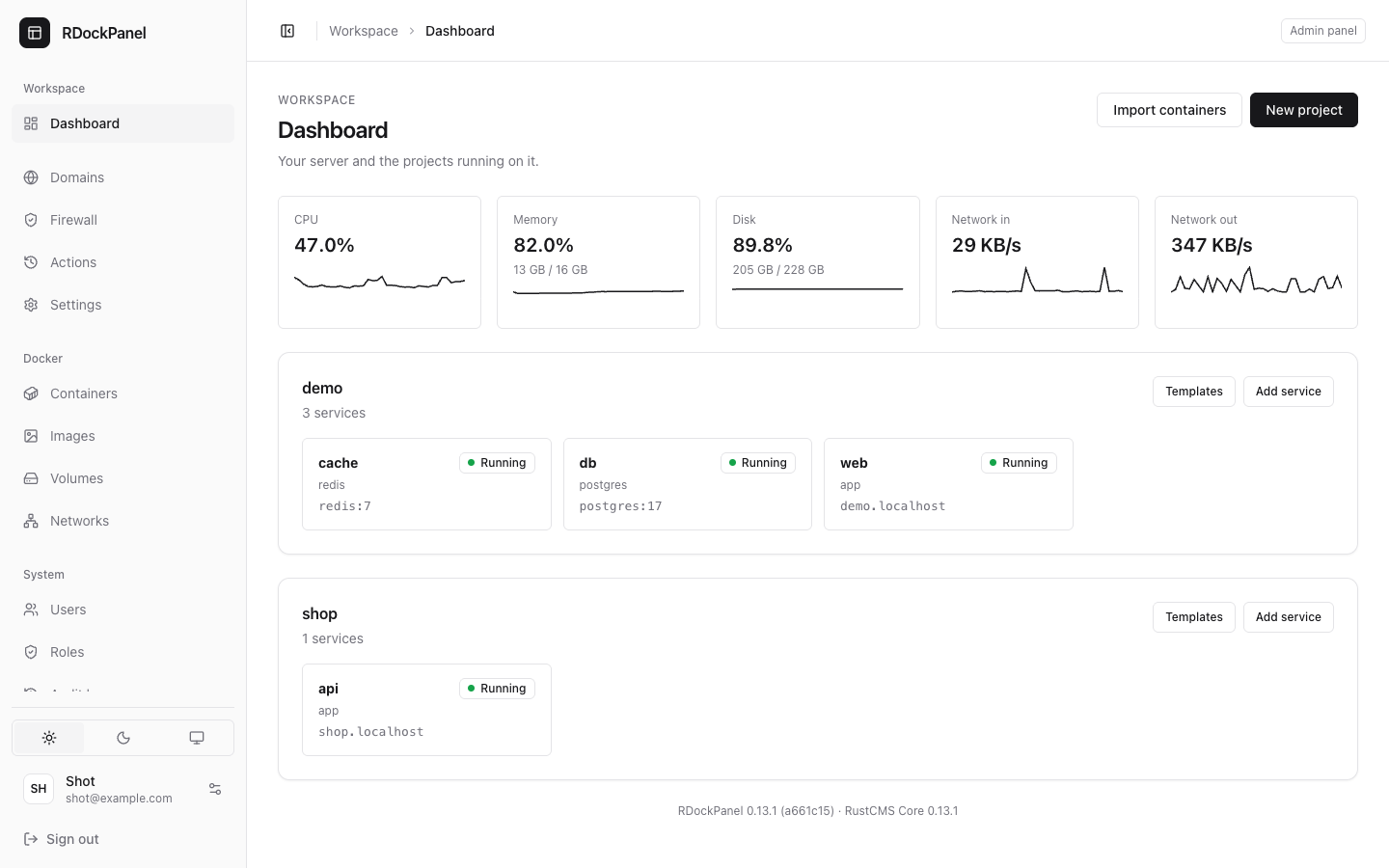
2. Create a project
A project groups the services of one app (its web, its database…), and has its own network.
- Press New project.
- Type a name: lowercase letters, digits and dashes, for example
demo. - Press Create. The project appears on the Dashboard.
3. Add a service
- On the project's card, press Add service.
- In Create service in demo:
- Type: keep App (Docker image);
- Service name:
web; - Docker image:
ghcr.io/traefik/whoami.
- Press Create. The service's page opens.
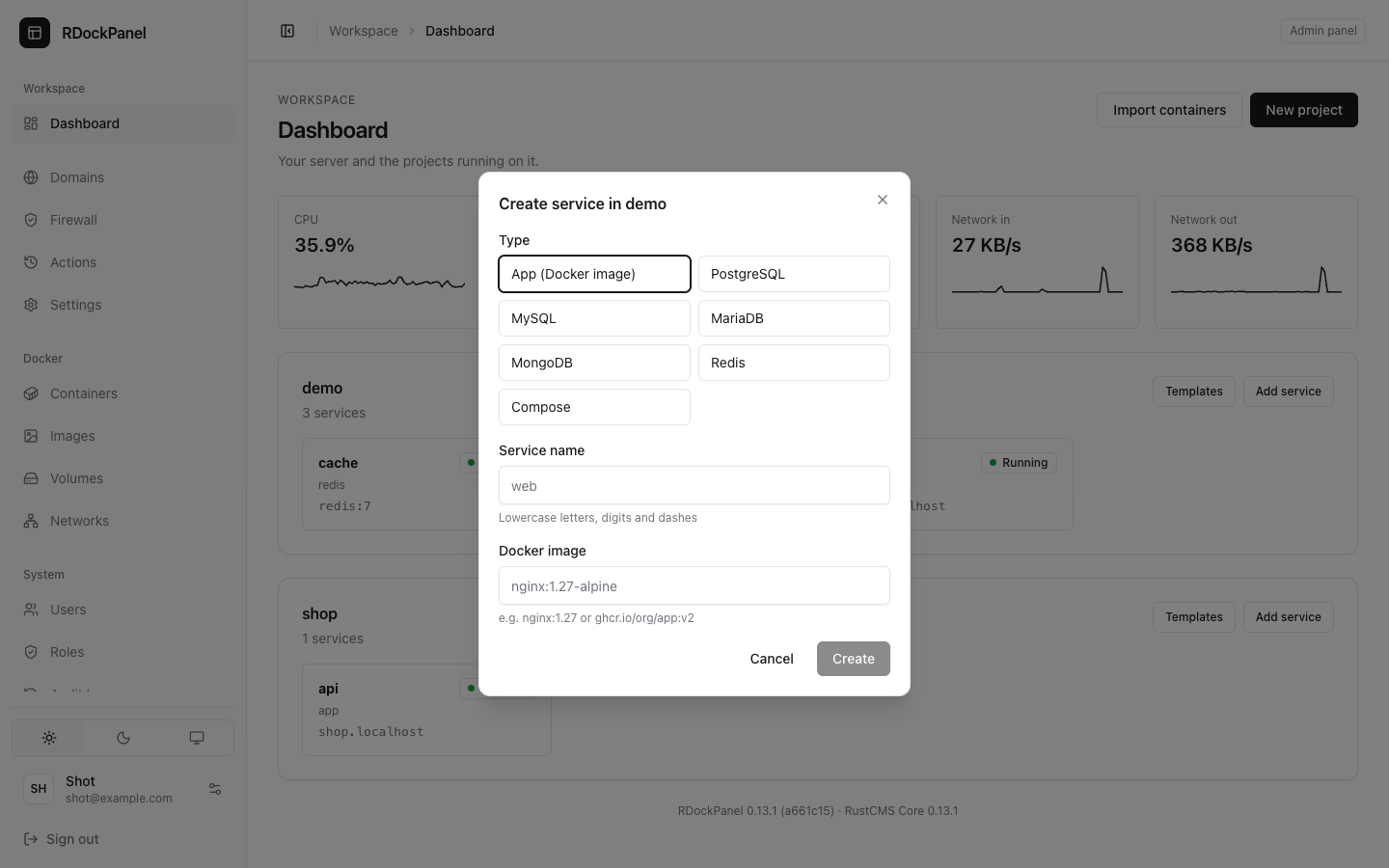
Before you create it, the dialog estimates the memory the service needs and warns you when the server is short (see Troubleshooting).
4. Deploy it
The new service is saved but not running yet: its Overview says "Not deployed yet: press Deploy."
- Press Deploy in the service's header.
- The deployment is queued, then runs: the panel pulls the image, pins it to its digest and creates the Swarm service. Its live log is on the Deployments tab.
- When it ends, the service's status turns to running.
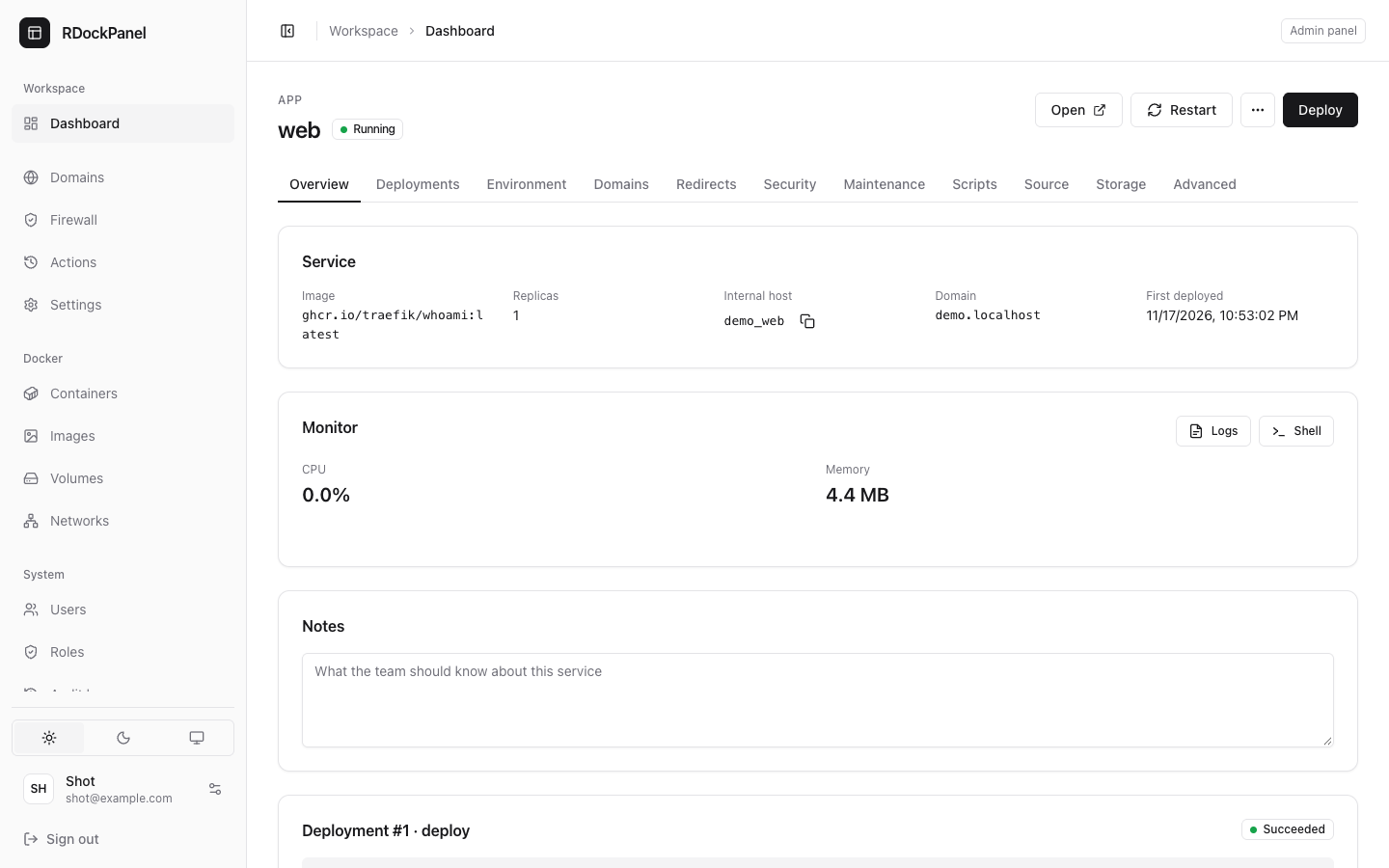
5. Add a domain
- Point a DNS record (A) for your name, say
whoami.example.com, to the server. - Open the Domains tab and press Add domain.
- Fill in:
- Host:
whoami.example.com; - Path:
/(the default); - Container port:
80(the port the app listens on inside its container); - HTTPS: on. HTTP then redirects to HTTPS, and the certificate comes from Let's Encrypt.
- Host:
- Press Add. A domain applies when saved: no new deployment is needed.
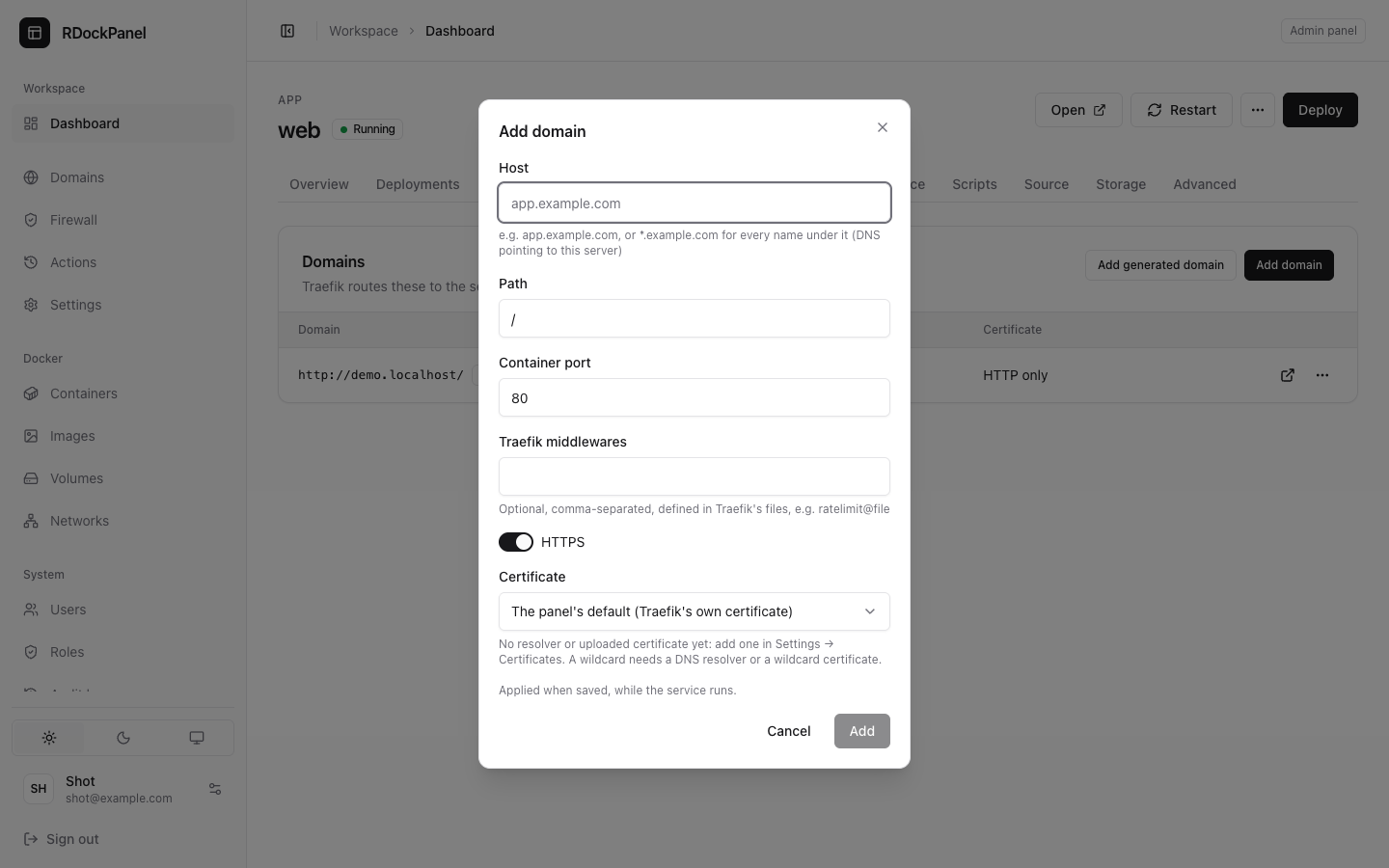
If the panel was installed with --apps-domain, Add generated domain gives the service a name such as demo-web.apps.example.com without any DNS work (the wildcard record does it).
On a Mac or without a public address
Use a name such as whoami.localhost, reached on the machine itself, with HTTPS off. For real domains, see Cloudflare Tunnel.
6. Open it
Press Open in the service's header. whoami answers with your request's details. The first HTTPS request can take a few seconds while the certificate is issued.
7. Read its logs
On the Overview tab, the Monitor section shows the service's CPU and memory and has Logs (the live logs of every container of the service) and Shell (a terminal inside it). Reload your site and watch the new lines arrive.
What next
- Change the image or the environment, then press Deploy again: see Deploy and roll back and Environment and secrets.
- Add a database in the same project: Databases and backups.
- Start from one of 800+ apps instead: Sources and templates.
- To remove the demo: on the Advanced tab, under Danger zone, press Remove from Docker (volumes are kept), then Delete service; then delete the empty project from the Dashboard.