Environment and secrets
A service's environment variables are edited as .env text on its Environment tab. Their values are encrypted in the panel and shown only to people allowed to read them.
Edit the environment
- Open the service's Environment tab.
- Write one
NAME=valueper line. A line starting with#is a comment. Quoted and multi-line values work as in a.envfile. - Press Save.
- Press Deploy: changes apply on the next deployment.
# Database
DATABASE_URL=postgres://app:secret@shop_db:5432/app
APP_ENV=production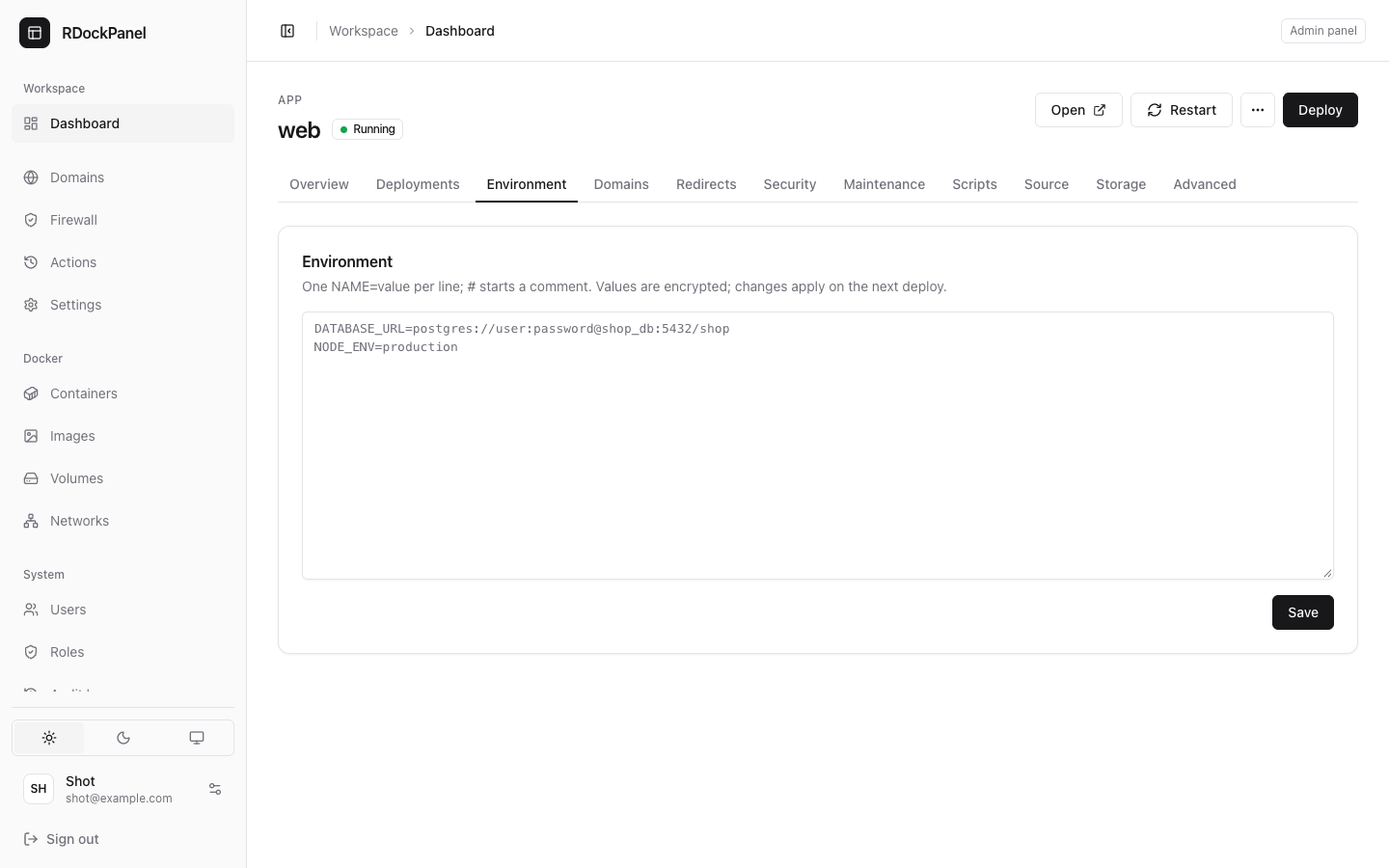
How the values are protected
Follow one value, DB_PASSWORD=abc123, from Save to the running app:
- Save: the panel encrypts the whole environment with AES-256-GCM and the panel's key,
APP_KEY. The key is made at install and kept as a Docker secret (rdp_app_key) and in/etc/rdockpanel/secrets, never in the database. - In the database: the service's row holds only the encrypted text. A database dump or backup without
APP_KEYcannot be read. The encrypted text is bound to its table and column: copied elsewhere, it does not decrypt. - At each deployment: the deployment keeps its own encrypted copy (for Roll back to this). Deployment logs and the audit log hold the variable names, never the values.
- Handed to Docker: the panel decrypts the values and gives them to the Swarm service. From here Docker holds them in clear, because your app must read them: in the service's settings and in each container's environment.
 Save ──► encrypted in the panel's database ──► Deploy ──► decrypted ──► Docker (in clear) ──► your app
          (APP_KEY, AES-256-GCM)                 (copy kept encrypted for rollback)
Keep APP_KEY
Back up /etc/rdockpanel with the database (see Update and back up). A database restored without its APP_KEY has its environments, registry passwords and file mounts unreadable: you would type them again.
Who sees what
| User | On the Environment tab |
|---|---|
With services.secrets (project developer, project admin, panel administrator) | The whole .env with its values; can change it. Opening the tab is a read of secrets: it is written to the audit log first (no audit entry, no values). |
Can change the service but has no services.secrets | An empty box and a warning listing the variables' names. Saving still works, but replaces every variable: type them all, including the ones you do not change. |
| Can only view the service | No values, no editing. |
| An API token | Values only with the "Read environment values" scope. |
Elsewhere:
- Docker → Containers → Inspect hides values whose name looks secret (
PASSWORD,TOKEN,KEY,SECRET,AUTH…) and passwords inside URLs. A secret under an unusual name can still show there: give secrets clear names. - Root on the server, or a terminal inside the container, sees every value: that is where the app reads them.
Placeholders
These are replaced in the values at each deployment:
| Placeholder | Becomes |
|---|---|
$(PROJECT_NAME) | the project's name |
$(SERVICE_NAME) | the service's name |
$(PRIMARY_DOMAIN) | the service's first domain (else its generated one) |
$(RDP_DOMAIN) | the service's generated domain |
$(RDP_HOST) | the apps' domain set at install |
$(RDP_HOST_IP) | the server's public address |
An unknown or unset placeholder is left as written. Templates use them; you can too.
Rollback
Each deployment keeps the environment it applied (encrypted). Roll back to this brings back the environment of then, not today's (see Deploy).
Good to know
- The whole environment holds at most 32 KB; more is refused with a clear message.
- A database's credentials live in its environment; changing them there does not change a database already created (see Databases).
- In a Compose service, the environment is the Compose project's
.env, read with${VAR}(see Compose). - Registry passwords (Source tab) are encrypted too, and never shown.